
How to Upload Your Resume Online (Step-by-Step) | SearchTalents Guide
Learn how to upload your resume online with SearchTalents. Follow simple steps, complete your profile, and apply for jobs faster .
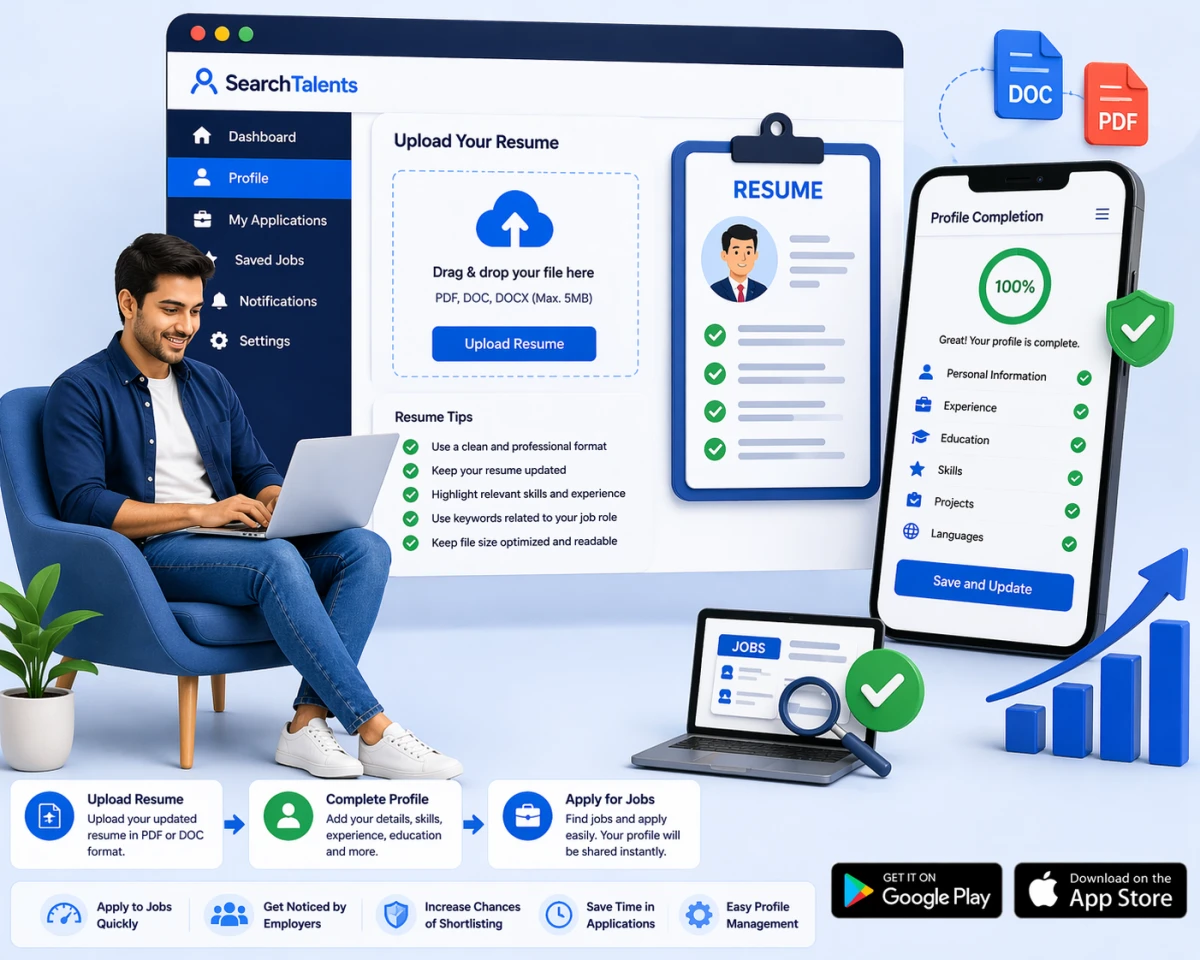
Uploading your resume correctly is one of the most important steps in the job application process. Many job seekers miss opportunities because their profile is incomplete or their resume is not uploaded properly.
With SearchTalents, uploading your resume is quick and simple. Once your resume is added, you can apply to multiple jobs easily and improve your chances of getting shortlisted.
In this guide, you’ll learn the exact step-by-step process to upload your resume, along with a video tutorial to help you do it correctly.
Who This Guide is For
This blog is designed for:
Freshers and students
Job seekers applying for jobs online
Professionals updating their profiles
Anyone who wants to improve job application success
Watch Full Video Guide
Add your YouTube video here:https://www.youtube.com/watch?v=KXU97FoeGRQ
(Embedding this video will increase engagement and SEO performance.)
Step-by-Step Process to Upload Resume
Step 1. Create or Login to Your Account
Start by accessing your account on SearchTalents.
Login with your email and password

Step 2. Go to your dashboard
This is where you manage your profile and applications.

🔹 Step 3. Go to Profile Section
- Navigate to your profile settings.
- Complete your profile.

Step 4.Build your resume
This section allows you to upload and manage your resume.

Step 5. Upload Your Resume File
Now upload your resume.
- Click on Add CV
- Select your file (PDF or DOC)
- Confirm upload
Make sure your resume is clear and updated.

Step 6. Complete Your Profile Details
After uploading, ensure your profile includes:
- Build Your Resume
- Projects
- Experience
- Education
- Skills
- Languages
A complete profile increases visibility to employers.
Step 7. Save and Update Profile
Once everything is added:
- Save your profile
- Review all details
Your profile is now ready for job applications.
Step 8. Start Applying for Jobs
After uploading your resume:
- Search for jobs
- Click Apply Now
- Submit your application
Your resume will be shared with employers instantly.
Pro Tips to Improve Your Resume
✔ Use a clean and professional format
✔ Highlight relevant skills and experience
✔ Keep your resume updated
✔ Use keywords related to your job role
✔ Keep file size optimized and readable
Benefits of Uploading Resume on SearchTalents
✔ Apply to jobs quickly
✔ Improve chances of getting shortlisted
✔ Make profile visible to employers
✔ Save time in applications
✔ Easy profile management
Helpful Resources
Learn how to apply for jobs:
https://www.youtube.com/watch?v=pVeG4kFk-NA
Employer hiring guide:
https://www.youtube.com/watch?v=rLVeaT3TerQ
Explore jobs now:
https://searchtalents.co
Trusted by Job Seekers
Thousands of candidates use SearchTalents to upload resumes, apply for jobs, and connect with employers faster.
Conclusion
Uploading your resume on SearchTalents is a simple but powerful step in your job search journey. A properly uploaded and updated resume helps you apply faster and increases your chances of getting noticed by employers.
By following this guide and watching the video tutorial, you can ensure your profile is fully ready for job opportunities.
Call to Action
Upload your resume now and start applying:
https://searchtalents.co
Download the SearchTalents App
Make your job search faster and easier with the SearchTalents mobile app.
Apply for jobs anytime, anywhere directly from your phone.
Download on Google Play:
https://play.google.com/store/apps/details?id=com.searchtalent.app&pcampaignid=web_share
Download on App Store:
https://apps.apple.com/in/app/search-talents/id6757297558
#SearchTalents #UploadResume #JobSearch #ApplyJobs#CareerGrowth #ResumeTips #JobSeekers